 Mochi Labs
Instagram for Photographers: The Complete Playbook for Instagram and TikTok
Instagram for photographers, done right: what to post, how TikTok fits in, how to protect your images, and how to keep a posting rhythm between shoots.
· We keep this page up to date, so bookmark it and come back.
A bride finds you through one reel she watched twice. A corporate client finds you through a grid that reads like a magazine spread. A pet photographer gets booked because a stranger screenshotted a single shot of a golden retriever mid-jump. Social media has quietly become the biggest portfolio you own, and most of it gets judged in under three seconds.
That's the real stake here. For most photographers, Instagram and TikTok aren't marketing extras bolted onto a website, they're where almost every new client meets the work for the first time. This guide walks through how to run both platforms like a photographer instead of like a generic small business: what to actually post, how to protect the images once they're out in the world, and how to keep a rhythm going between shoots without it swallowing your week.
Here's what's ahead: building an Instagram presence that reads like a portfolio instead of a diary, what genuinely works for photographers on TikTok, how to pick content pillars rooted in work you're already doing, and how to keep finding fresh things to post without spending every Sunday night scrolling for ideas.
Why Photographers Need a Different Playbook
Most social media advice is written for people selling a product that looks the same in every photo. You're selling a skill that only shows up in the result, and the result is the only proof a stranger has that you're worth hiring. A caption tip written for a skincare brand doesn't automatically work for a photographer, because your audience isn't deciding whether to buy a bottle, they're deciding whether to trust you with a wedding day, a new restaurant menu, a set of headshots.
That changes what counts as good content. It's not about chasing every trend, it's about using each platform to show the work, the process behind it, and enough personality that a stranger can picture working with you.
Instagram for Photographers
Instagram is still the first place most clients check before they book, and for photographers it does double duty: part portfolio, part proof of life. Treat it like one and it works hard for you. Treat it like a diary and it just becomes noise next to your actual work.
The Grid Is Your Portfolio, Not Your Diary
Start with the grid. A stranger scrolling it for fifteen seconds should be able to tell what kind of photographer you are and whether your style matches what they want. That means curating harder than feels natural: not every shot from a shoot deserves a slot, only the ones that represent the work at its best, and the edit style should stay consistent enough that a viewer can recognize your color and tone across posts.
Export settings matter more for photographers than almost anyone else on the platform, because a soft or over-compressed image undoes hours of editing in one upload. Instagram publishes its own resolution and aspect ratio specs, and it's worth checking them against your export settings before a big gallery goes up, not after. While you're exporting, write alt text that actually describes the scene instead of leaving it blank. It's often the difference between a post that's just pretty and one that's actually findable.
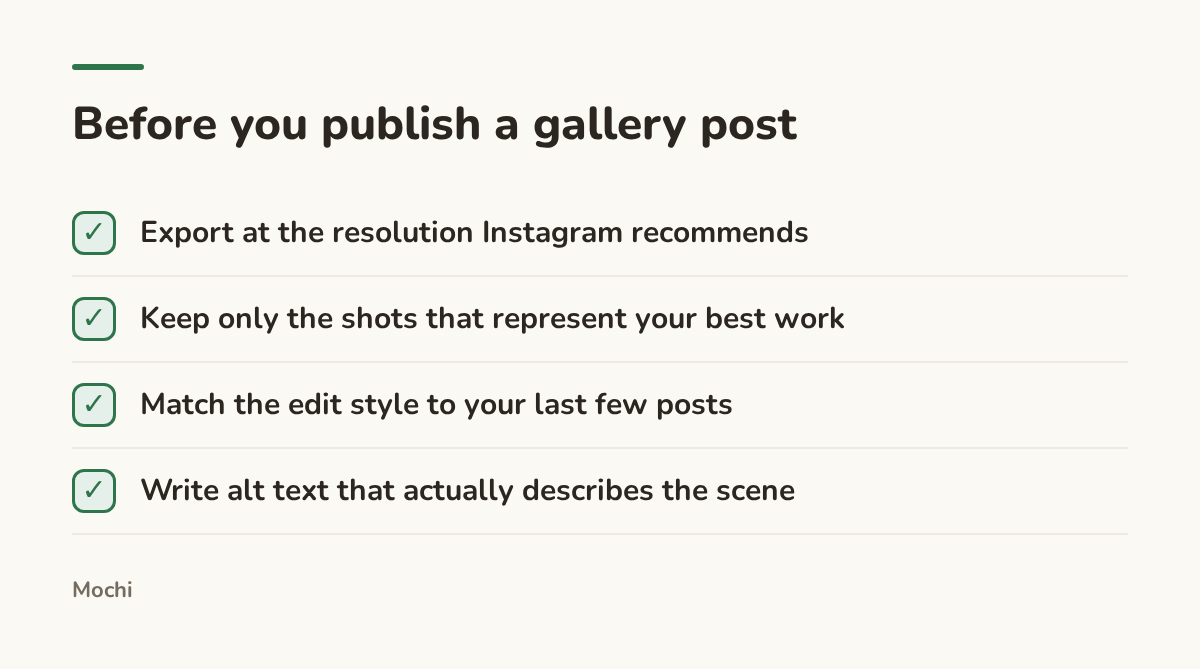
Five minutes of checking saves a soft, oddly cropped upload.
Reels Are Where New Eyes Find You
If the grid is the portfolio, Reels are the front door. Instagram's own explanation of how ranking works makes the point plainly: the system is trying to guess what you'll want to watch next based on what you've already engaged with, which means a Reel has to earn attention in the first second or it never gets a second chance to.
Take a portrait photographer whose grid is full of polished headshots. A reel showing the thirty seconds before the "polished" shot, a client visibly nervous, a joke that gets them to relax, the shutter clicking right as they laugh, tends to pull in people who would never search "headshot photographer" but will absolutely remember that feeling.
Stories Keep Past Clients Warm
Stories don't need to be polished, which is exactly their job. A past client who follows you isn't deciding whether to hire you again this week, they're deciding whether to recommend you the next time a friend asks. A quick behind-the-scenes clip, a poll about which edit of a photo they prefer, a countdown to a mini-session opening up: all of it keeps you present without asking for anything.
Hashtags and Getting Found
Hashtags still do real work for discovery, they're how a post ends up in front of someone who's never heard of you. Instagram's help documentation on hashtags explains how posts land on hashtag pages, and the practical version for photographers is to mix a few broad tags, like #weddingphotographer, with specific ones tied to your city or niche, like #austinelopementphotographer. The broad tags have more searchers, the specific ones have less competition, and you want both working for you.
Captions matter here too, and not in the way most advice treats them.
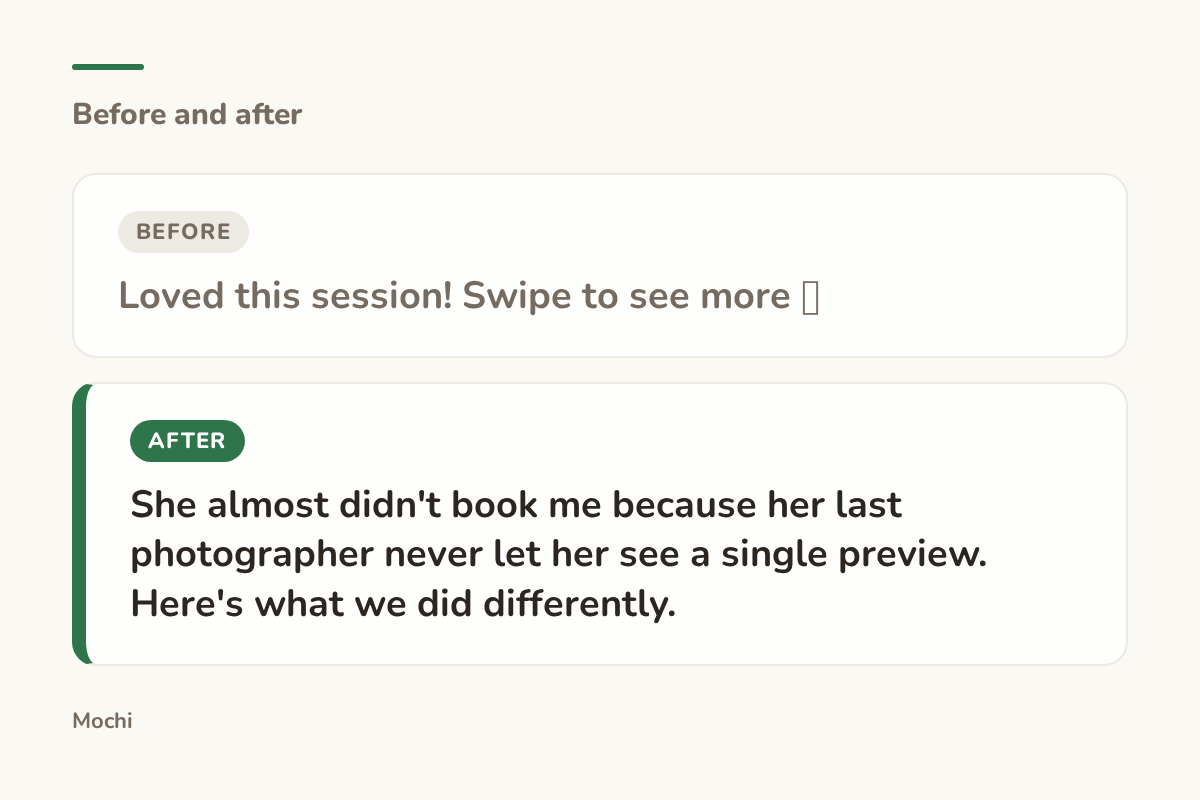
Before: Loved this session! Swipe to see more 📸 After: She almost didn't book me because her last photographer never let her see a single preview. Here's what we did differently.
Same photo, a caption that gives a stranger a reason to read on.
The first caption describes the post. The second gives a reader an actual reason to keep reading, which is the entire job of a caption.
Protecting the Work Once It's Posted
Posting high-resolution work in public means someone, eventually, will screenshot it or repost it without credit. Instagram has a formal copyright reporting process for exactly this, and it's worth knowing it exists before you need it, not during the stressful scramble of finding your own wedding photos on someone else's account.
TikTok for Photographers
A lot of photographers assume TikTok is for dancers and comedians, not for people who sell stillness and light. The truth is messier and more useful: TikTok rewards process, and photography has process to spare.
What TikTok Actually Rewards
TikTok's own explanation of the For You feed describes a system built around what you watch and finish, not who you already follow. That's good news for a photographer with zero following and a real skill to show, because a single video of a dramatic lighting setup or a tricky edit reveal can outperform an account's entire follower count.
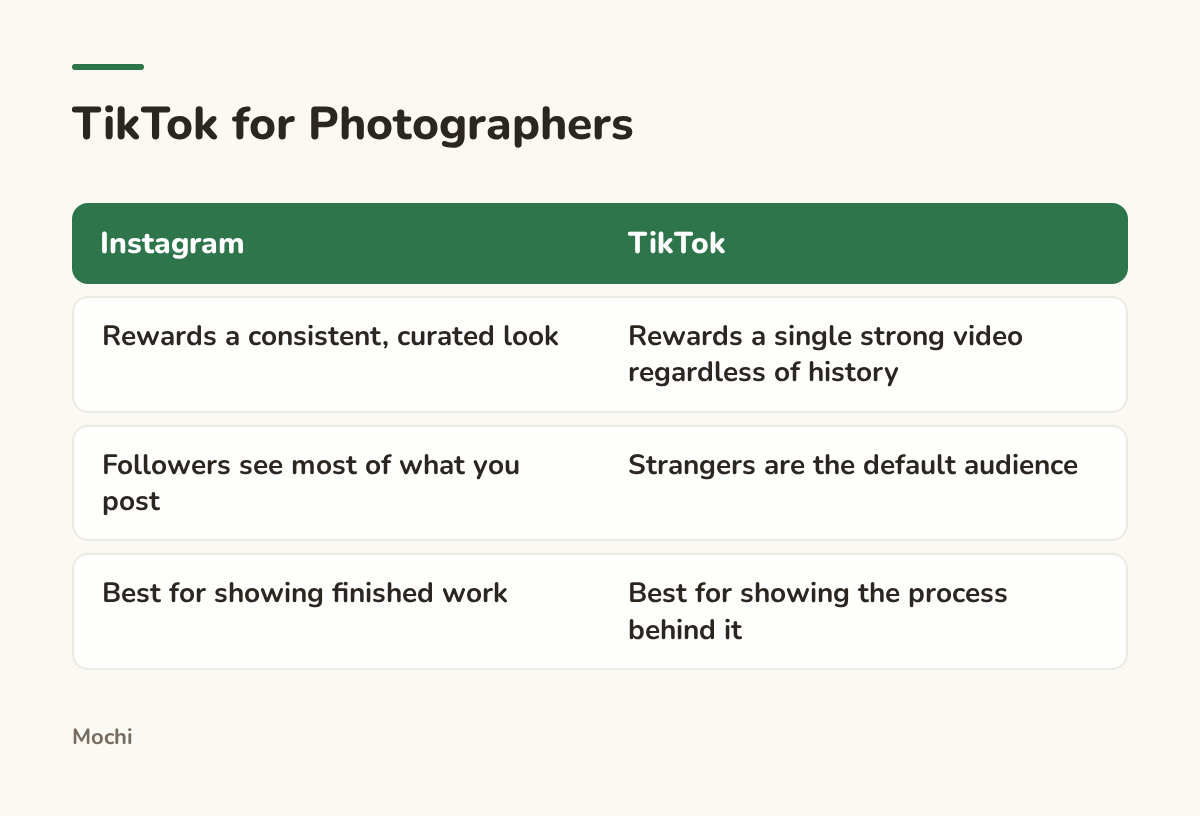
Different jobs, which is why photographers tend to need both.
Repurposing Without Just Reposting
The temptation is to take a finished Instagram Reel and drop it on TikTok unchanged. It usually underperforms, because TikTok's audience is watching for a different signal: not "is this beautiful" but "is this real, and is something about to happen." A wedding reel built around a slow-motion first look plays well on Instagram. The same footage with a hook like "I almost missed this shot because I was changing a lens" plays better on TikTok, because it tells a viewer there's tension before they've seen the payoff.
A Worked Example
Picture a wedding photographer who films the walk to the ceremony, the moment a parent sees the dress for the first time, and the three seconds right after. On Instagram that becomes a polished thirty-second Reel set to music. On TikTok, the same footage opens differently.
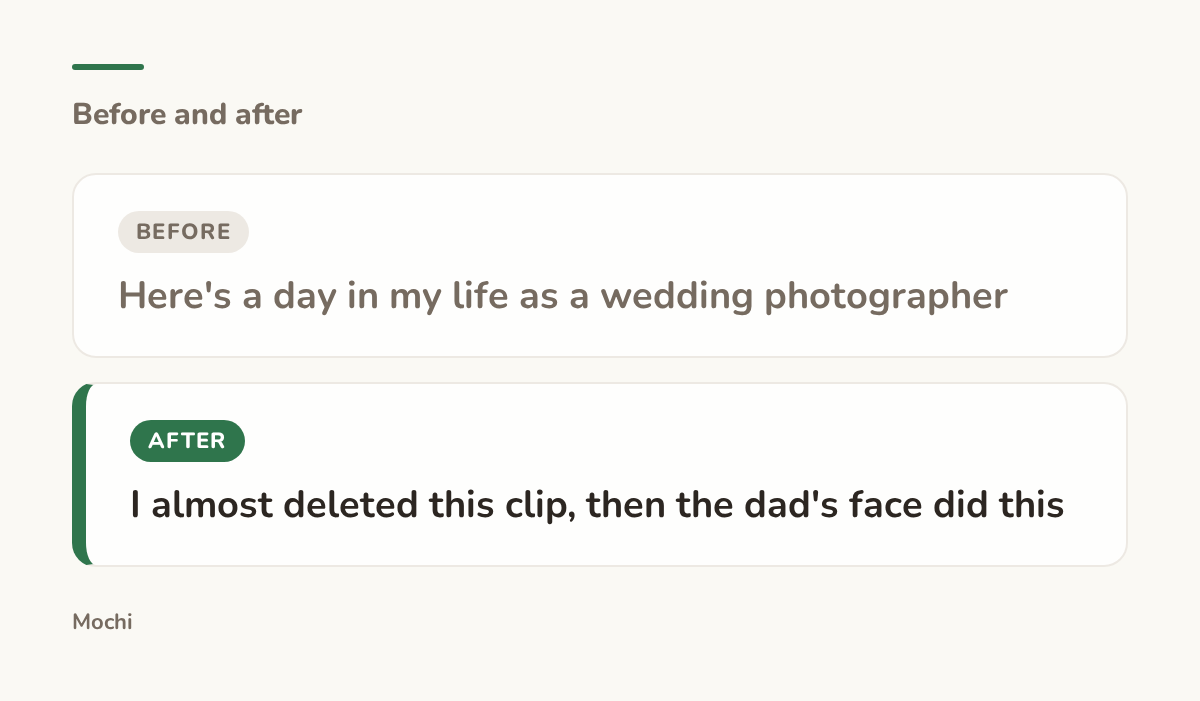
Before: Here's a day in my life as a wedding photographer After: I almost deleted this clip, then the dad's face did this
The hook names the stakes before the subject, which is what earns the first second.
The lesson travels past weddings: TikTok wants to know why it should keep watching before it cares what the video is actually about.
Picking Content Pillars You Can Actually Keep Up With
Pillars only work if they're built from shoots you're already doing, not a content calendar template you found online.
Root Pillars in the Work You Already Do
Take a wedding photographer. Three honest pillars might be real weddings (finished galleries from actual clients), planning help (timeline advice, vendor tips, the questions every couple asks), and behind the camera (gear, lighting decisions, the parts of the job clients never see). None of those require a special shoot, they're just different angles on work that's already happening.
Batch Around Your Shoot Calendar, Not a Daily Quota
A daily posting quota looks disciplined on a spreadsheet and falls apart the first week a shoot runs long. Batch instead around the actual rhythm of the work: heavier posting right after a shoot when there's fresh material, quieter weeks filled with planning-help or behind-the-camera content that doesn't need new footage.
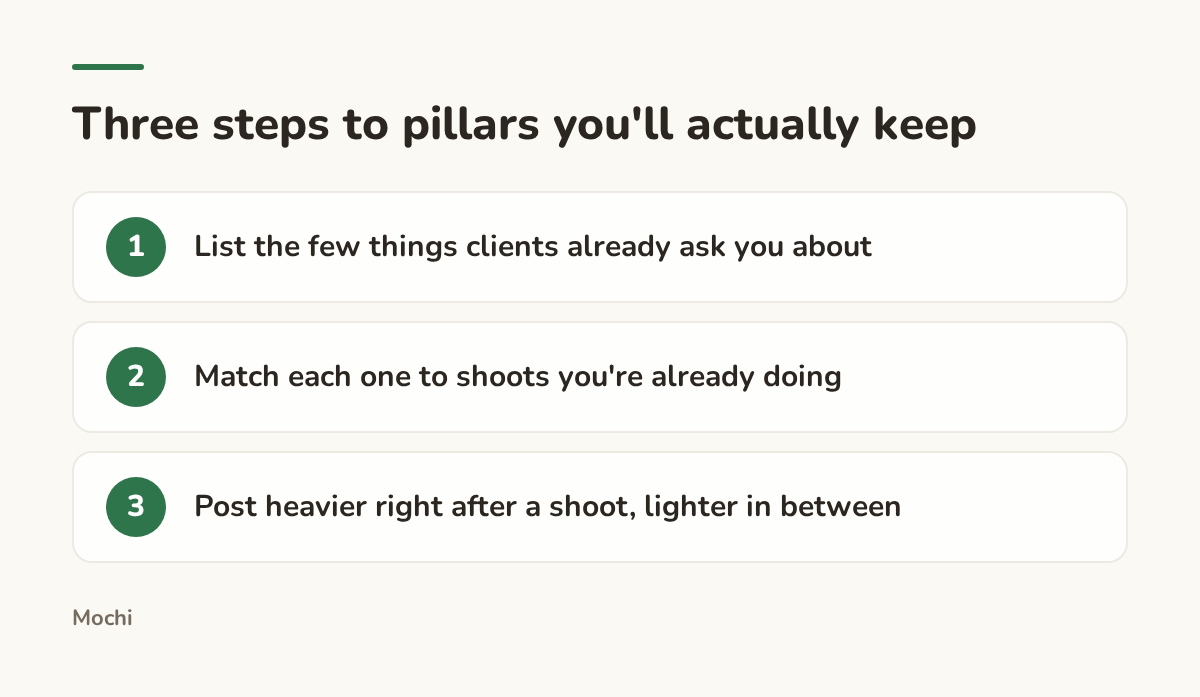
Pillars survive longer when they follow the work instead of sitting on top of it.
The pillar itself is only half the job. The other half is giving it a caption that earns a read.
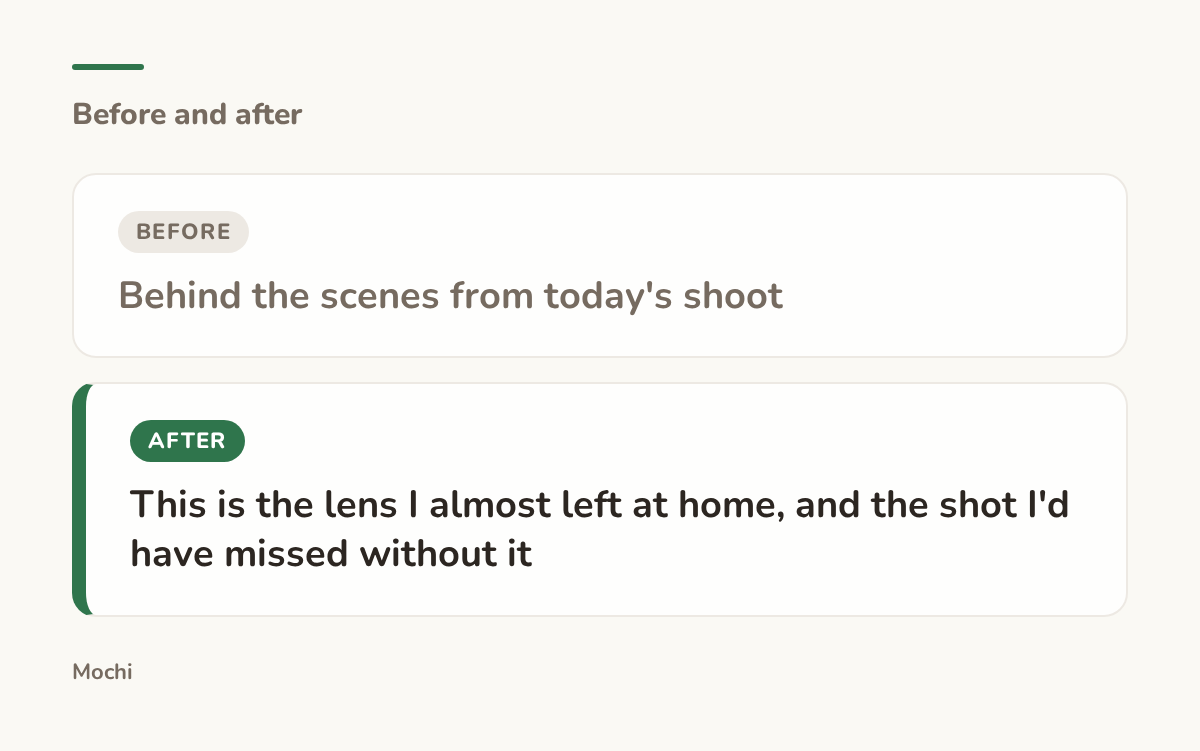
Before: Behind the scenes from today's shoot After: This is the lens I almost left at home, and the shot I'd have missed without it
The second version gives a behind-the-scenes post an actual stake.
Keeping Up With Trends Without Losing Your Week
The hardest part of any of this isn't writing captions, it's noticing what's actually moving in your niche before it's already over. Wedding trends shift, portrait lighting styles come back around, and a photographer who's shooting most weekends doesn't have hours to spend scrolling competitors for research.
This is one of the few parts of the job we think is worth handing to a tool instead of your own memory. We built a research routine into Mochi that runs on whatever schedule you set, say every Monday morning, so it's already looking at what's moving in wedding or portrait content before you've opened the app. It shows you when it last ran and when it's running next, so trend-watching stops living only in your head between shoots.
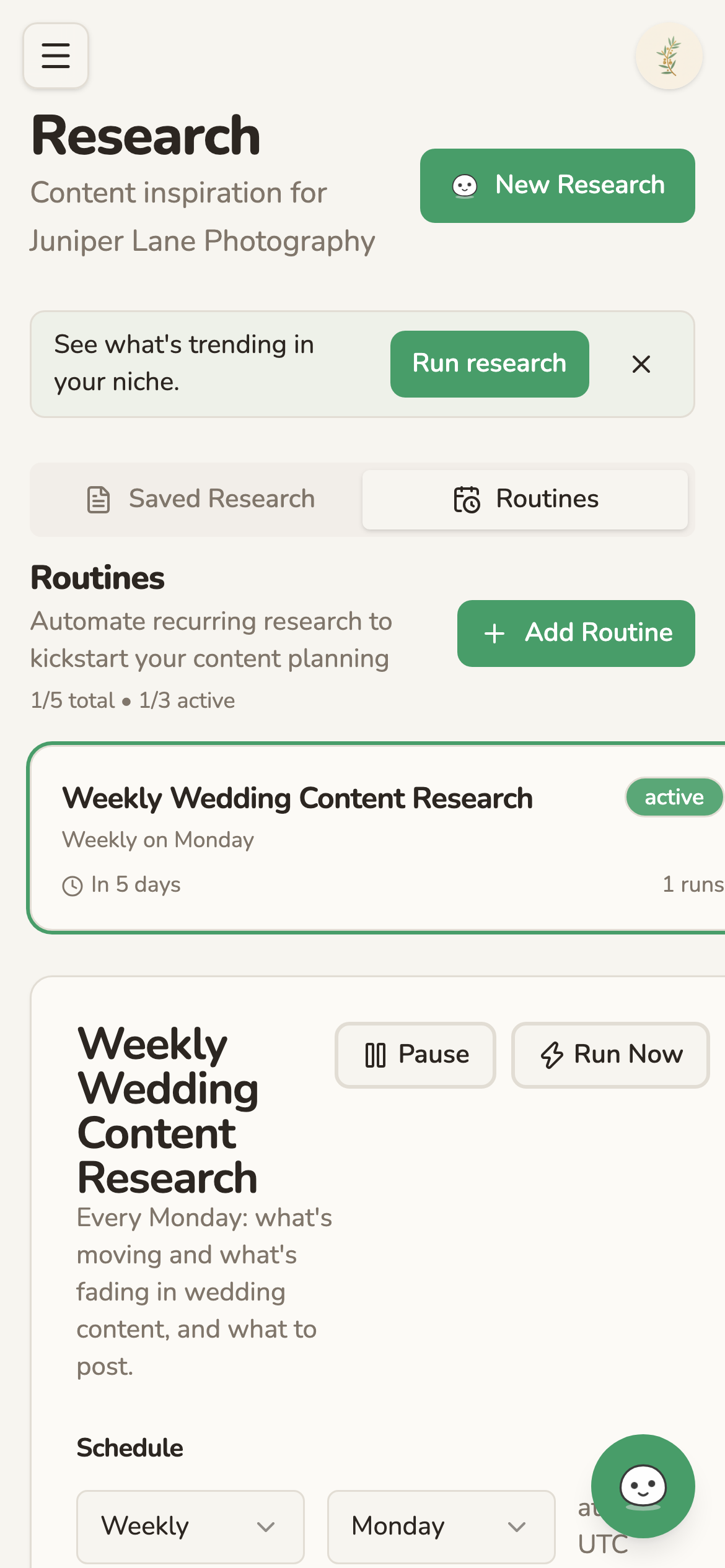
A research routine runs on its own schedule and shows you when it's running next.
Whatever you use to track it, the question worth asking every week is the same one: what's a client already asking you about that you haven't turned into a post yet?
More for Photographers
The deeper guides for photographers are on their way.
Part of a series
The Creator's Playbook
Evergreen craft for working creators: brand, content planning, and publishing, written by the team that builds Mochi.