 Mochi Labs
How Photographers Are Getting Clients Through Instagram DMs in 2026
Instagram now sends client inquiries through DMs, not bio links. Here's how photographers can set up a profile, content plan and inbox that turn DMs into booked jobs.
A bride finds your page at midnight.
She doesn't tap the link in your bio.
She just starts typing in your DMs.
That's not a fluke anymore, it's the normal path to a booking. The shift that 2026 photography-marketing coverage keeps describing is the same one: the inquiry used to land in an email from a contact form, and now it lands as a DM that opens with "hi, is this date available?" before the sender has even looked at your website. If your profile and your content aren't built with that in mind, you're leaving real inquiries sitting unanswered in a tab you never check.
Here's how to build the parts of your Instagram presence that actually carry that conversation, from the first glance at your profile to the deposit landing in your account.
Step 1: Turn Your Profile Into the Front Door
Before anyone messages you, they look at three things: your profile photo, your bio, and whatever sits right above the message button. If any of those reads like a business card instead of an invitation, you've already lost a few inquiries you never heard about.
Start with the basics. A professional Instagram account unlocks the contact buttons, the inbox tools, and the insights the rest of this guide depends on, so if you haven't made that switch yet, that's the actual step one, not a footnote. From there, your business information, your category, your contact fields, should describe what you shoot and where, in words a stranger would use to search for you, not in the language you'd use in an artist statement.
Your bio line matters more than it gets credit for. A line that states your job title invites a scroll past. A line that names what happens next invites a message.
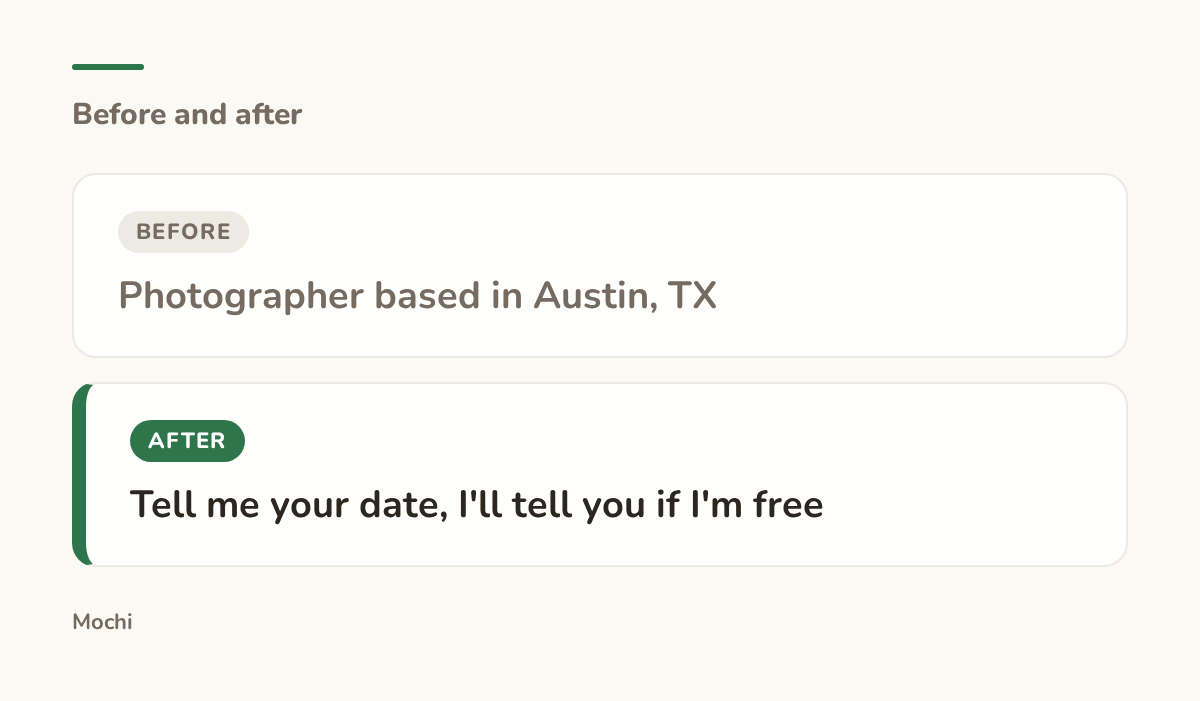
Before: Photographer based in Austin, TX After: Tell me your date, I'll tell you if I'm free
A bio line that invites the message instead of just naming the job.
The call-to-action button above your message box does real work here too. Instagram's business profiles can show a "Book," "Contact," or similar button right next to your message entry point, and most photographers either never turn it on or leave it pointed at a dead link. Set it up once, point it somewhere current, and it becomes one more nudge toward the DM instead of a decoration nobody notices.
Step 2: Build Content That Earns a DM, Not Just a Like
A like costs a viewer nothing. A DM costs them a few seconds of typing and a small risk of feeling awkward if you don't reply. Getting someone to take that step means your content has to do more than look nice, it has to make the next move feel obvious.
What's shifted lately is which posts the algorithm even shows widely enough to get that chance. Watch time and saves carry more weight than they used to, and a quick like carries a lot less. Practically, that means a slow, full first-look reel a couple wants to rewatch earns more reach than a pretty single photo they glance at once. Content built to be saved, a full posing cheat sheet, a complete venue walkthrough, does double duty: it earns the reach, and it gives the viewer a reason to come back to your page later, which is exactly when they're most likely to message you.
The caption is where you turn that attention into a conversation. Picture a wedding photographer who ends every reel with a vague "link in bio for info." Compare that to one who tells the viewer exactly what to type.
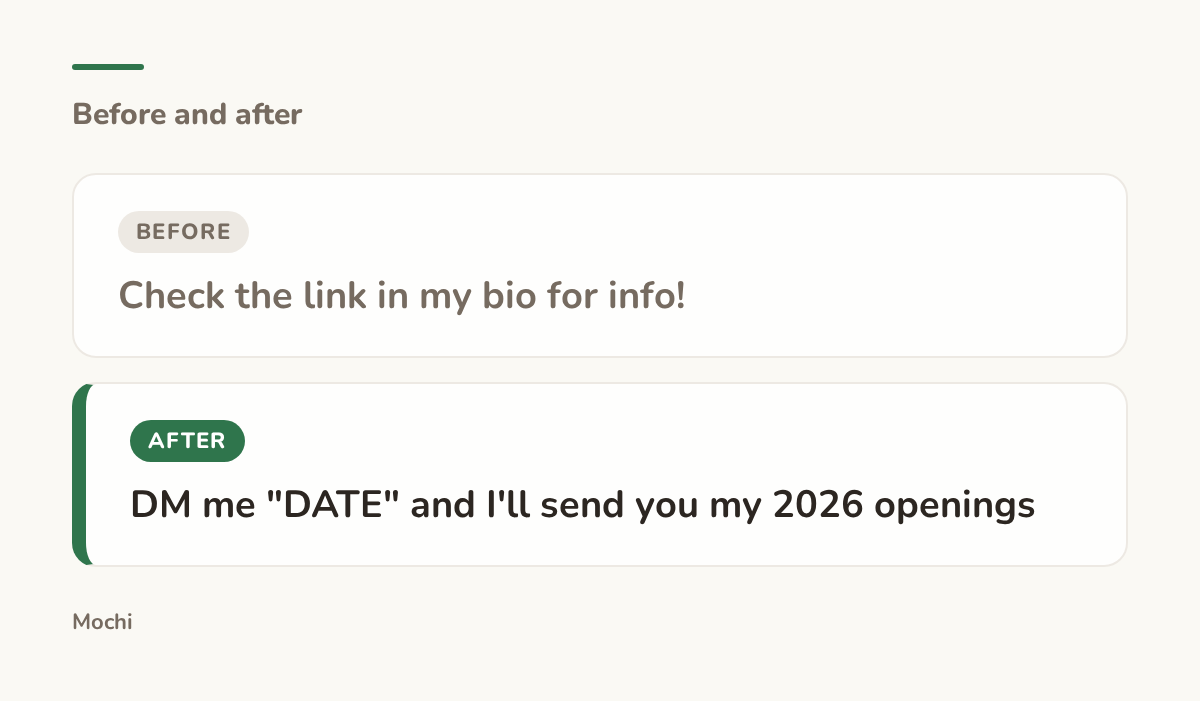
Before: Check the link in my bio for info! After: DM me "DATE" and I'll send you my 2026 openings
A caption ending that gives the reader the exact word to send.
That small swap works because it removes the one thing that stops most people from messaging a stranger: not knowing what to say. Give them the opening line and a lot more of them will use it.
Step 3: Make Starting the Conversation Effortless
Even with a clear prompt, some portion of the people who want to ask you something will hesitate, type a few words, and delete them. The fix isn't a better prompt, it's removing the blank-page problem entirely.
Instagram's chat tools let you set up frequently asked questions that appear as quick-reply prompts the moment someone opens your DMs. Instead of staring at an empty message box, a visitor sees a ready-made question like "do you have my date available?" sitting right there to tap. For a photographer, that's the difference between a visitor who leaves without messaging and one who starts a conversation with a single tap.
The content of that first reply matters just as much as getting the conversation started. A reply that's purely polite wastes the momentum the visitor just gave you.
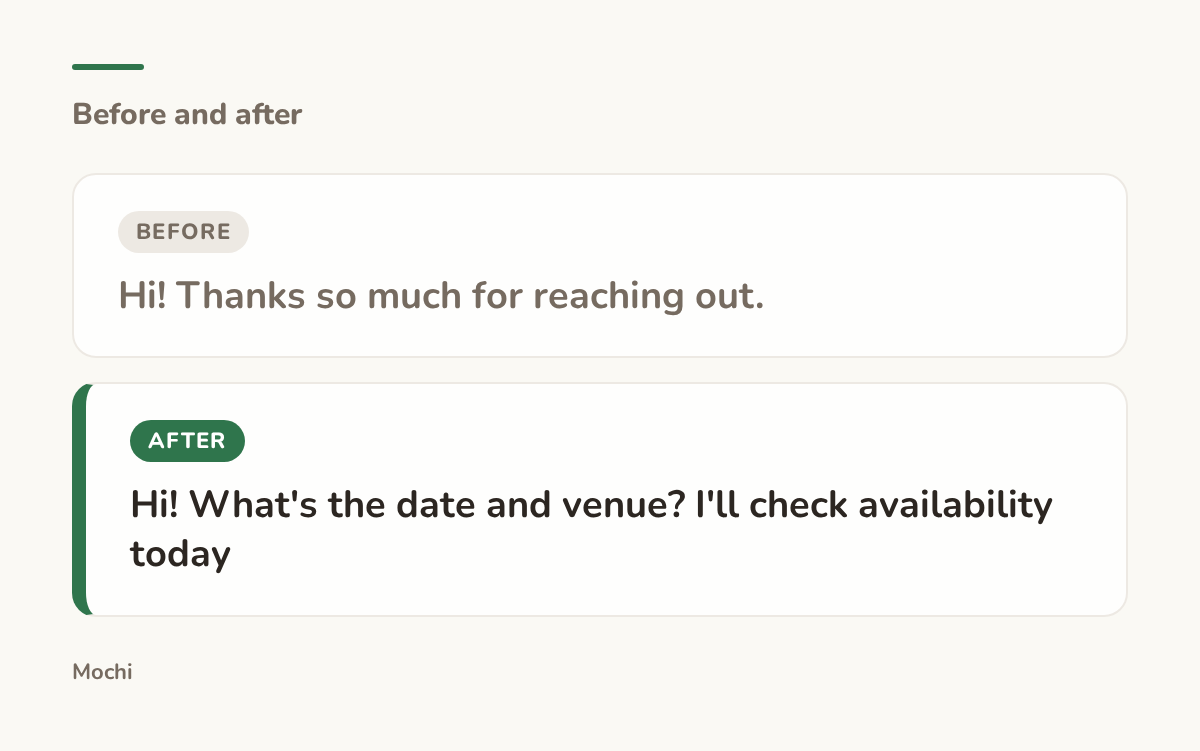
Before: Hi! Thanks so much for reaching out. After: Hi! What's the date and venue? I'll check availability today
A first reply that moves straight toward a booking instead of a pleasantry.
Notice what the second version does: it asks for the two facts you actually need to answer the question the visitor came with, and it promises a timeline. That's a small thing, but a vague "I'll get back to you soon" reads very differently from "today."
Step 4: Sort the Real Inquiries From the Noise
A profile that's working will pull in more messages, and not all of them will be client inquiries. Some will be spam, some will be other photographers asking about your gear, and a few will be genuine couples whose message Instagram quietly filed somewhere you never check.
This is the part most photographers never set up, and it's the part that quietly costs them real bookings. Instagram sorts incoming messages into Primary, General, and Requests, and a message from someone who doesn't follow you can land in Requests by default, a folder a lot of creators open once a month if that. A booking inquiry sitting unread in Requests for three weeks is, for the person who sent it, the same as a photographer who never replies. They've already messaged three other photographers by then.
If you're on a creator account, the inbox splits into its own tabs as well, which is worth understanding so you know where to actually look. Build a short, repeatable pass through all of it.
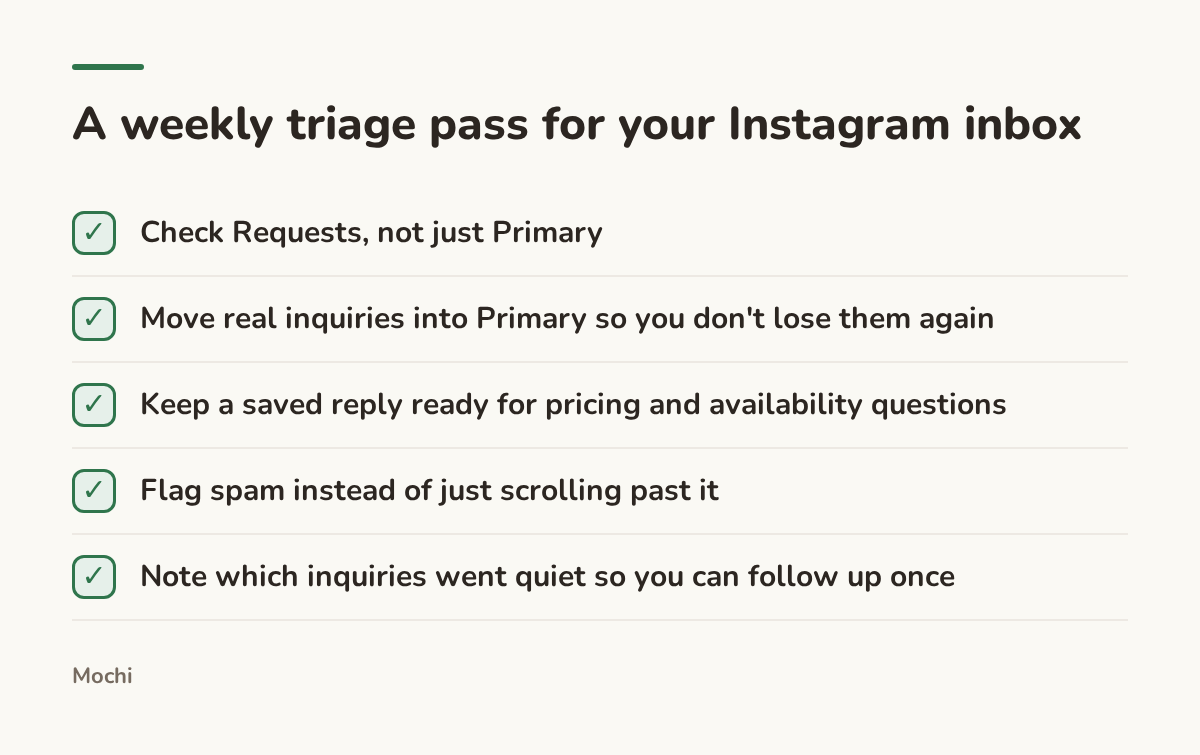
Five minutes a week keeps a real inquiry from sitting unread for a month.
Set a recurring time for this, even just once a week. The couples messaging you aren't going to message twice.
Step 5: Answer Fast, in Your Voice, Every Time
Speed is most of what separates a booked inquiry from a lost one. A couple messaging five photographers on the same Saturday afternoon tends to book whoever answers first with real information, not whoever has the best portfolio. That's uncomfortable if you're also the one shooting, editing, and running the business, because the DM that needs a reply at 9pm on a wedding weekend is competing with everything else on your plate.
This is the gap a tool can close without pretending to be you. Picture a wedding photographer who sets a single trigger word, say TIMELINE, so that any comment containing it automatically sends back her Wedding Day Timeline Guide by DM, written in her own voice, the moment someone posts it. The reply goes out whether she's at her desk or mid-ceremony with her phone in a bag, and the rule keeps a running count of how many times it's fired so she can see which posts are actually driving inquiries.
That's the shape of what the inbox in Mochi is built to do: it watches for the words a creator chooses and answers the easy, repeatable questions in their voice, so the DMs that need a real human get a real human faster.
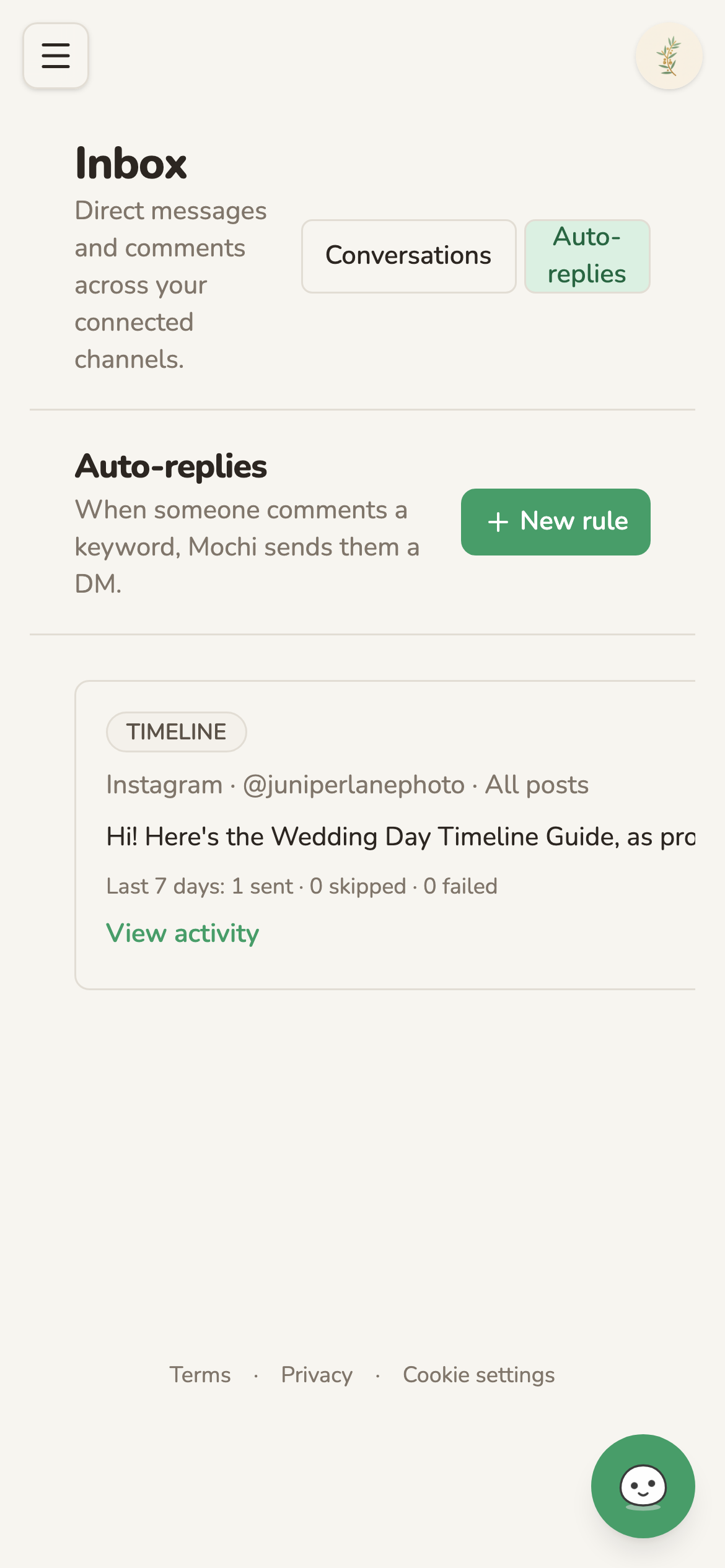
A keyword rule matches comments containing TIMELINE and sends the Wedding Day Timeline Guide by DM, with a running count of what it's sent.
Automation like this only works if the voice behind it sounds like you. A reply that reads like a template gets ignored the same way a form email does. The goal isn't fewer human conversations, it's making sure the simple ones don't eat the time you need for the ones that actually close a booking.
Step 6: Close the Loop, From DM to Booked Job
A DM thread that stays a DM thread forever doesn't pay your rent. At some point the conversation needs to move off Instagram and into something with a contract and a deposit attached, and the photographers who book consistently tend to make that move the same way every time instead of improvising it per couple.
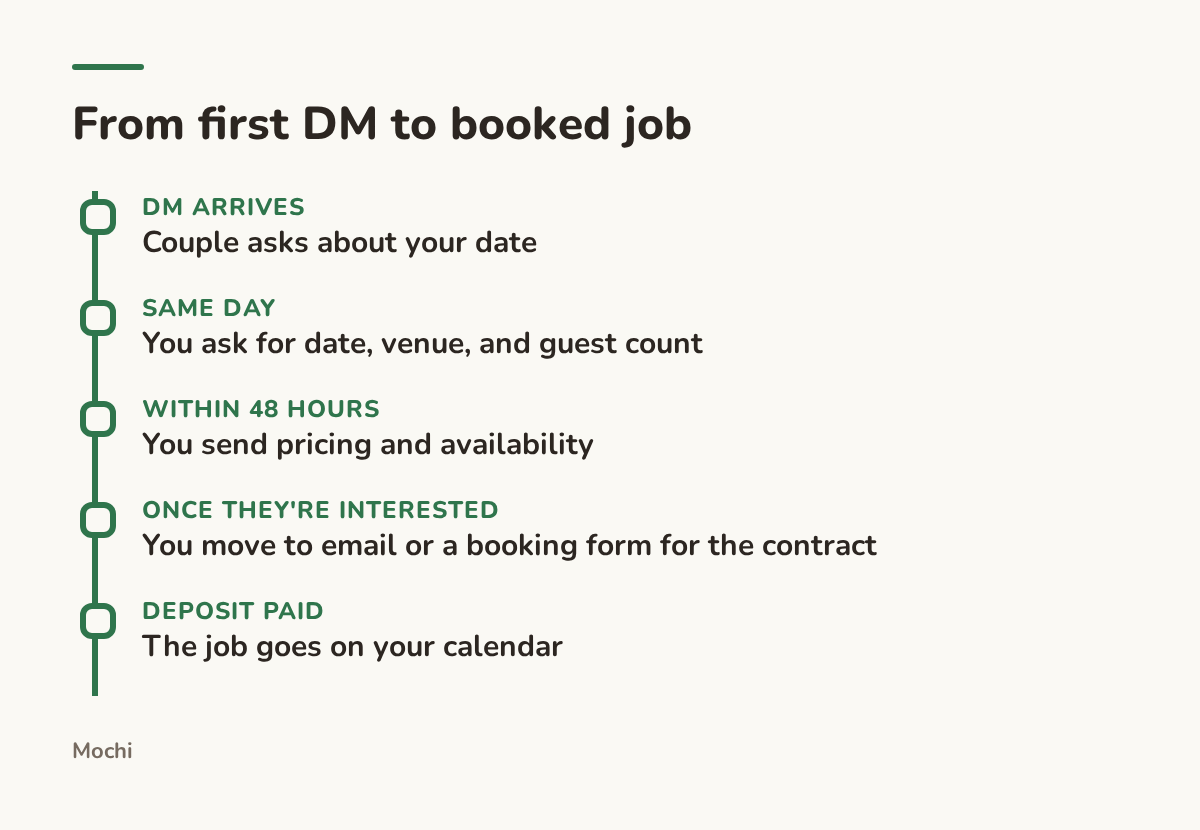
The DM starts the conversation. A repeatable next step is what finishes it.
Notice that the DM's job is small on purpose: confirm the date, show you're responsive, and hand off to a process built for the paperwork. Trying to negotiate a full wedding package inside Instagram's chat window is where good inquiries go to stall. Ask the two or three questions you actually need, then give them a clear next step, a link to your contract, a short call, a booking form, and say when you'll follow up if you don't hear back.
Take a videographer who used to let pricing conversations drag out over twenty messages across a week. Switching to "here's my pricing guide and a link to hold your date" after the third message didn't just save time, it gave couples a reason to decide instead of keep chatting.
None of this replaces the work of being a good photographer. It just makes sure the inquiry that already found you doesn't disappear into an inbox you forgot existed. Set up the profile so it reads as an invitation, build content that earns a save instead of a glance, make the first reply easy to find and easy to act on, and check the folders where real messages hide. Do that consistently and the DMs you're already getting start turning into the bookings you actually want.
When's the last time you checked your Requests folder?
Part of a series
The Creator's Playbook
Evergreen craft for working creators: brand, content planning, and publishing, written by the team that builds Mochi.