 Mochi Labs
Planoly vs Later: The Honest Read, and Where Mochi Fits for Solo Creators
If you're comparing Planoly vs Later, here's the honest read, plus how Mochi differs for creators who want their calendar planned, not just scheduled.
Planoly vs Later.
That's probably the search that brought you here.
Both are visual planners built for the Instagram grid. Both have been around since the early Instagram-marketing years. Both show up in nearly every "best scheduling tool for small creators" roundup you'll find.
Here's the honest part: we can't hand you a verified, line-by-line Planoly vs Later breakdown in this piece, because we only publish numbers we've checked ourselves against a company's own pricing page, and we haven't run that check on Later recently enough to put a figure next to its name here. What we can speak to with confidence is Planoly, since we pulled its plans straight from its pricing page, and Mochi, since we build it. So that's the comparison this piece actually makes.
But here's the thing worth saying before any numbers: Planoly and Later solve close to the same problem in close to the same way, a grid you can drag around, a calendar you fill by hand, a price built for one person working alone. If you're choosing between those two specifically, the deciding factor is usually small print: which platforms each one posts to this month, what its free mobile app actually lets you do, how many social sets its cheapest tier includes. Check their current pages directly for that. The bigger question, the one that actually changes how your week feels, isn't Planoly vs Later. It's whether you want a tool that holds your plan, or one that makes your plan.
What Planoly actually offers a solo creator
Planoly is built for exactly the person its pricing page describes: one creator, one brand, a grid they want to see before they post it. As of 2026-10-11, the Starter plan runs $14 a month for one social set and one user with unlimited uploads. Growth is $24 a month for two sets and two users, with extra sets at $10 and extra users at $5. Pro runs $47 a month for six sets and six users, with extra sets at $8 and extra users at $3. Paying annually saves up to 15% off any tier.
There's a free plan, but it lives on the mobile app only, capped at 10 uploads a month, and every paid tier carries a 14-day free trial. Planoly posts to Instagram, TikTok, LinkedIn, Facebook, YouTube, Threads and Pinterest, with X named specifically in how it defines a social set. It also ships an AI idea generator that suggests post ideas, keywords and captions, with no stated limit on how often you can use it.
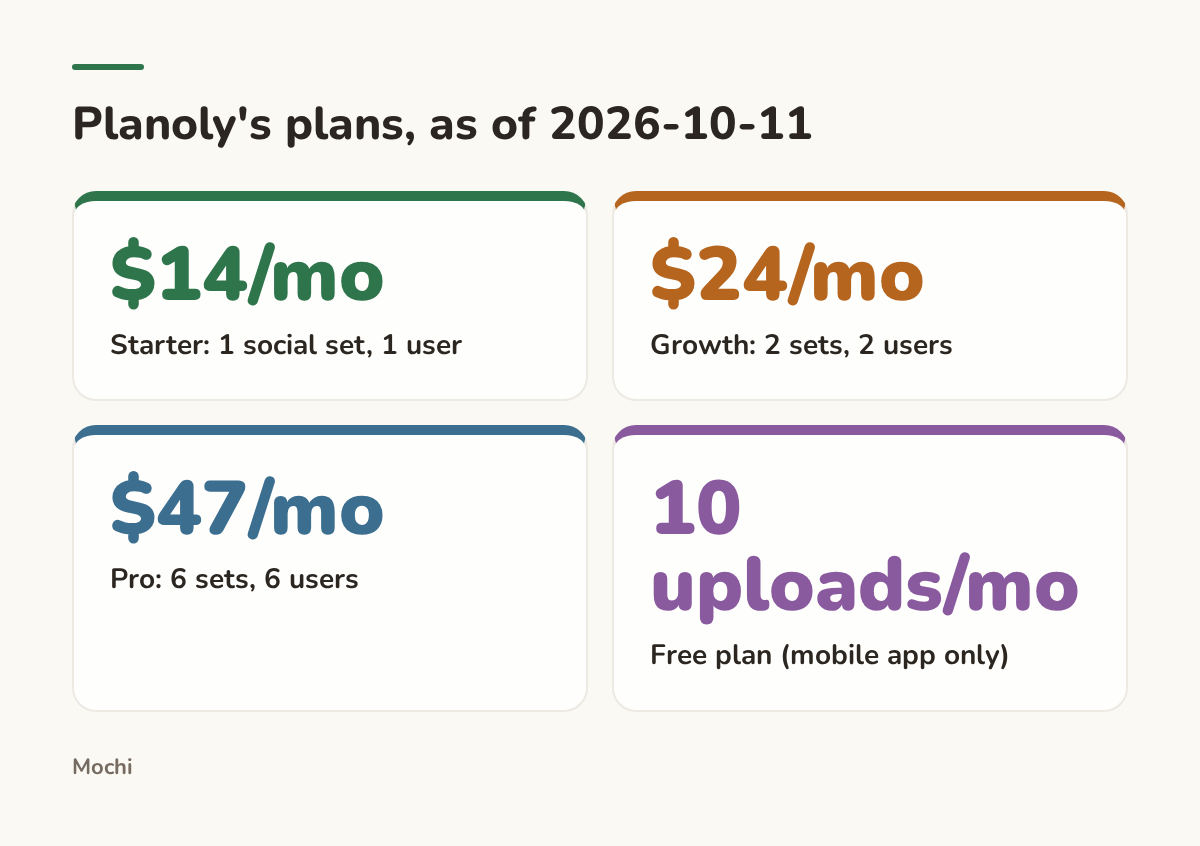
Pricing pulled from Planoly's own page.
For a photographer who already knows her style and just needs somewhere to lay out next week's gallery before it goes live, that's a genuinely good deal. The idea generator gives you a nudge when you're stuck on a caption. The grid tells you, before you post, whether three portraits in a row are going to look repetitive. That's real, useful work for $14 a month.
What Mochi does differently
Mochi starts from a different question. Instead of asking what you want to post this week, it starts by learning who you are: a scan of your site, your socials and your store, plus a short interview, built into what we call a Brand Playbook. The idea of writing a brand down as a strategic document instead of just a vibe for your feed isn't ours alone. It's close to what the Content Marketing Institute's framework on strategic pillars argues for: knowing your why, your who and your how before you touch a caption.
From there, Mochi runs watch lists and research routines on a schedule you set, boiling down what's moving in your niche into one research document instead of leaving you to scroll for it. It pitches ideas scored against your brand, each with a brief attached, fills a calendar on its own, and posts on schedule. On the Pro plan, it also answers the easy DMs and comments in your voice, and trigger words you choose can deliver a lead magnet or a discount code automatically.
How this works in Mochi
Take a research routine set to run every Monday morning. You don't open it, you don't remember to run it, it just runs, and it shows you when it's running next so you're never guessing whether this week's read already happened.
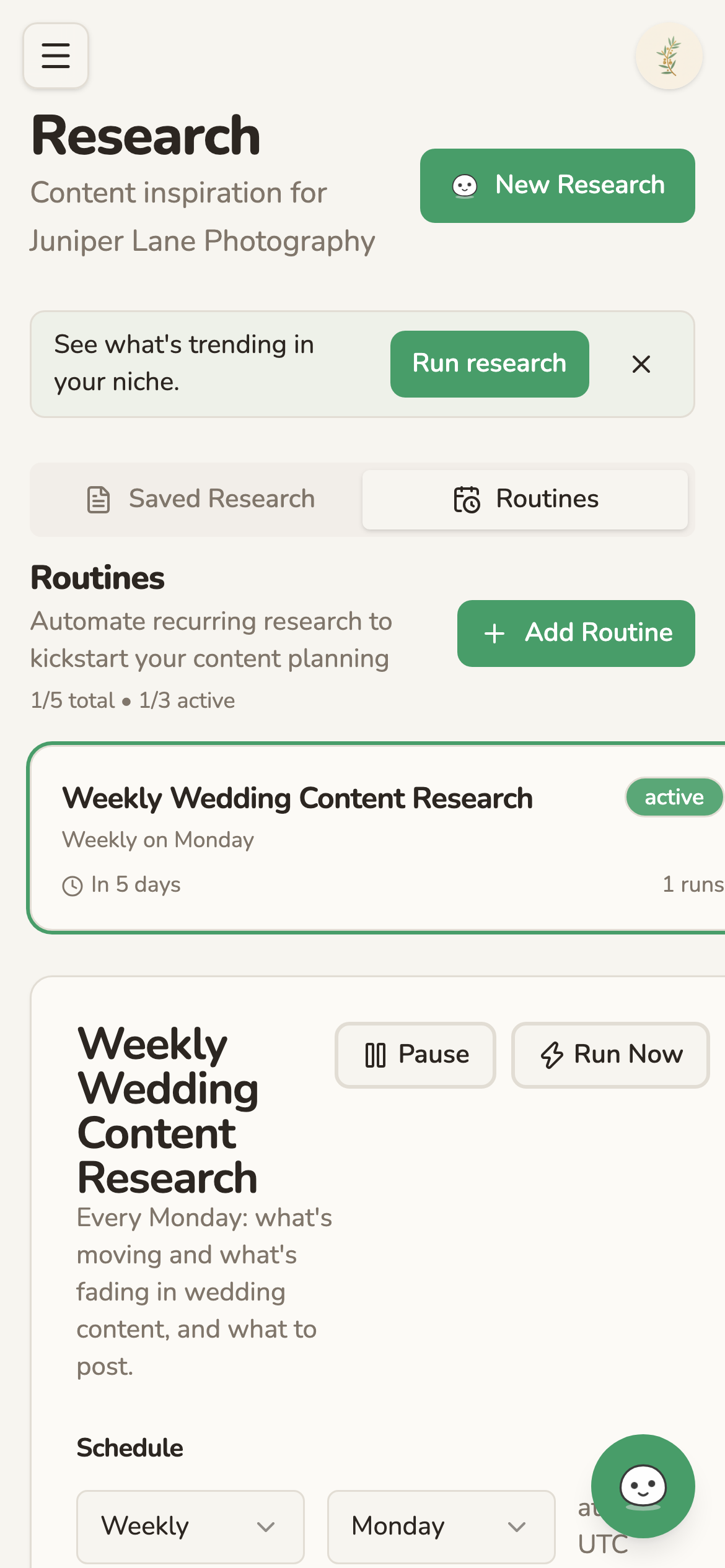
A weekly research routine, set once, running on its own.
That's the piece Planoly's idea generator doesn't do: it will suggest a caption when you ask, but it won't go looking for what's trending in your niche on a schedule and hand you a document about it before you've thought to ask.
Mochi's trial runs $1 for seven days with 150 credits, and it rolls onto whichever plan you pick unless you cancel. Starter is $29 a month: one brand, one seat, 10 research runs a month on a weekly refresh, 500 credits, scheduled posting and analytics. Pro is $59 a month: one brand, three seats, 50 research runs a month on a daily refresh, 1,500 credits, and the inbox. Extra brands run $9 a month each with 100 credits included. The Studio plan adds a dedicated human content manager on top of everything in Pro, for creators who'd rather hand the channels to a person; that one's by conversation through the contact page, not a listed price.
Mochi posts to Instagram, Facebook, Threads, TikTok, YouTube Shorts and LinkedIn. It does not post to Pinterest or X, and there's no free plan and no annual discount: billing is monthly only, and unused credits don't roll over. If you want to see the whole loop end to end, the product tour walks through it step by step.
Planoly vs Mochi, side by side
The honest summary: Planoly is cheaper and covers more platforms, including Pinterest, which matters a lot if your audience actually lives there. Mochi costs more and covers fewer platforms, but it's doing a different job: deciding what goes on the calendar in the first place, not just holding the calendar once you've decided.
Who each tool is actually right for
Planoly fits if you already know what to post
If you can look at next week and already see the shots, the captions and the order you want them in, Planoly's $14 plan is the honest recommendation. You don't need research routines or a scored idea queue if the backlog in your head is already full. You need a grid that shows you the pattern before it's live, and a cheap, visual way to batch it in. A wedding or portrait photographer leaning hard on Pinterest traffic is a good example: Planoly covers that platform, Mochi currently doesn't.
Mochi fits if deciding is the actual bottleneck
If the real obstacle isn't posting but deciding what's worth posting, that's a different kind of tired. Research on decision fatigue backs up something most creators already feel in their body by Thursday: every small choice you make earlier in the day leaves less judgment for the ones later on, and a long day of deciding wears down the quality of your next decision, even a small one like which caption to run. The research behind choice overload backs the same point from another angle: more open options, with nothing narrowing them down, tends to leave people choosing worse or not choosing at all. A tool that proposes the idea instead of handing you a blank calendar square is solving that specific problem, not a bigger one than you actually have.
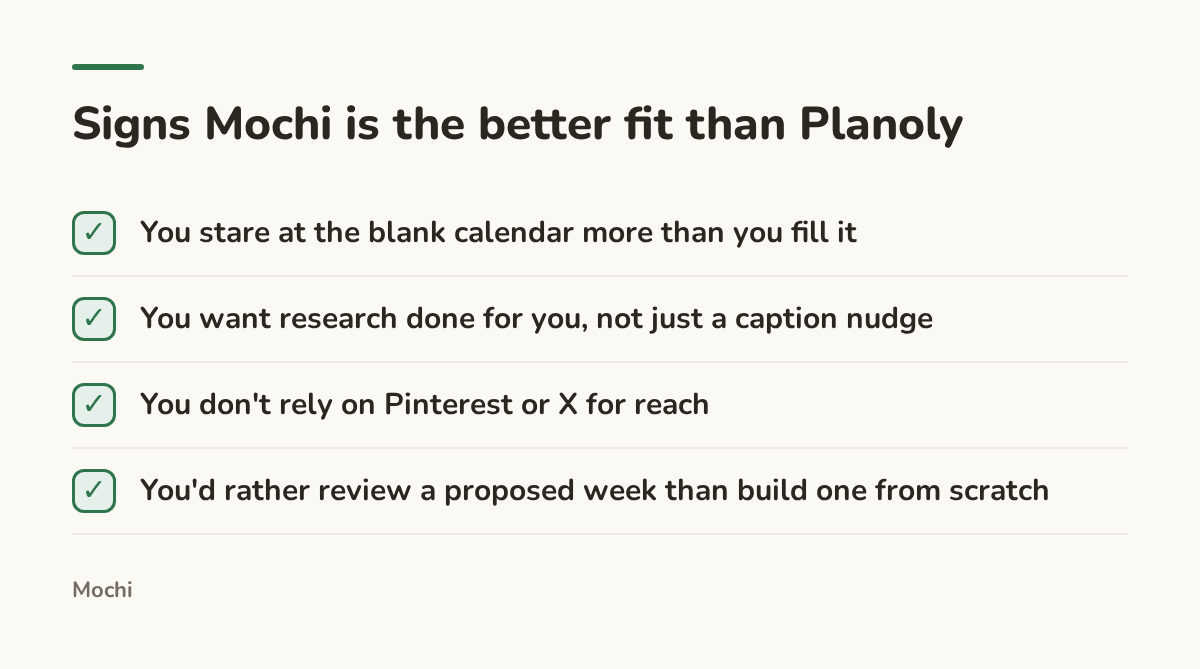
Neither answer is a trick question. A musician who already has a release calendar and three photo shoots lined up probably doesn't need research routines, she needs a cheap grid and a trial that doesn't ask for much. A videographer who posts inconsistently because deciding what to film next eats his whole Sunday is the one who actually benefits from a tool that proposes the week instead of waiting for him to invent it.
So if you came in searching Planoly vs Later, the real fork in the road probably isn't either of those names. It's whether you're short on a place to plan, or short on the plan itself. Which one is actually true for you this week?
Part of a series
Mochi vs. the Field
Honest comparisons of Mochi with the social media tools creators already use, and what is different about an agent that learns your brand.