 Mochi Labs
How to Pick TikTok Hashtags That Actually Work in 2026
A practical guide to TikTok hashtags: how many to use, where to put them, how to find what's trending now, and the mistakes that quietly cap your views.
Thirty hashtags. Copy, paste, post. Repeat tomorrow with the same thirty.
If that's the whole plan, the algorithm stopped listening a while ago.
"TikTok hashtags" is one of the most searched questions creators have, right up there with posting times, because everyone senses there's a trick to it and nobody explains the trick in plain language. There isn't a trick. There's a smaller, more deliberate system than the one most accounts are running, and it has changed enough in the last couple of years that advice from 2021 will actively work against you now. Here's what actually holds up: how many tags to use, where to put them, how to find out what's live this week, and the mistakes that quietly cap a video before it ever gets a chance.
What TikTok Hashtags Actually Do in 2026
A hashtag on TikTok isn't a lever that pulls more views. It's a label. It tells the app, and anyone searching, what a video is about, the same way a folder tells you what's inside it without you opening every file.
That distinction matters because a lot of inherited advice treats hashtags like a reach mechanism: stack enough of them and the For You Page has to notice you. It doesn't work that way and hasn't for some time. Watch time, completion rate, and whether people share or rewatch carry far more weight than which tags sit under the caption. Hashtags do real work elsewhere: they group your video with others like it, they make you findable when someone searches instead of scrolls, and they tell TikTok's own systems which audience and which trend a video belongs to.
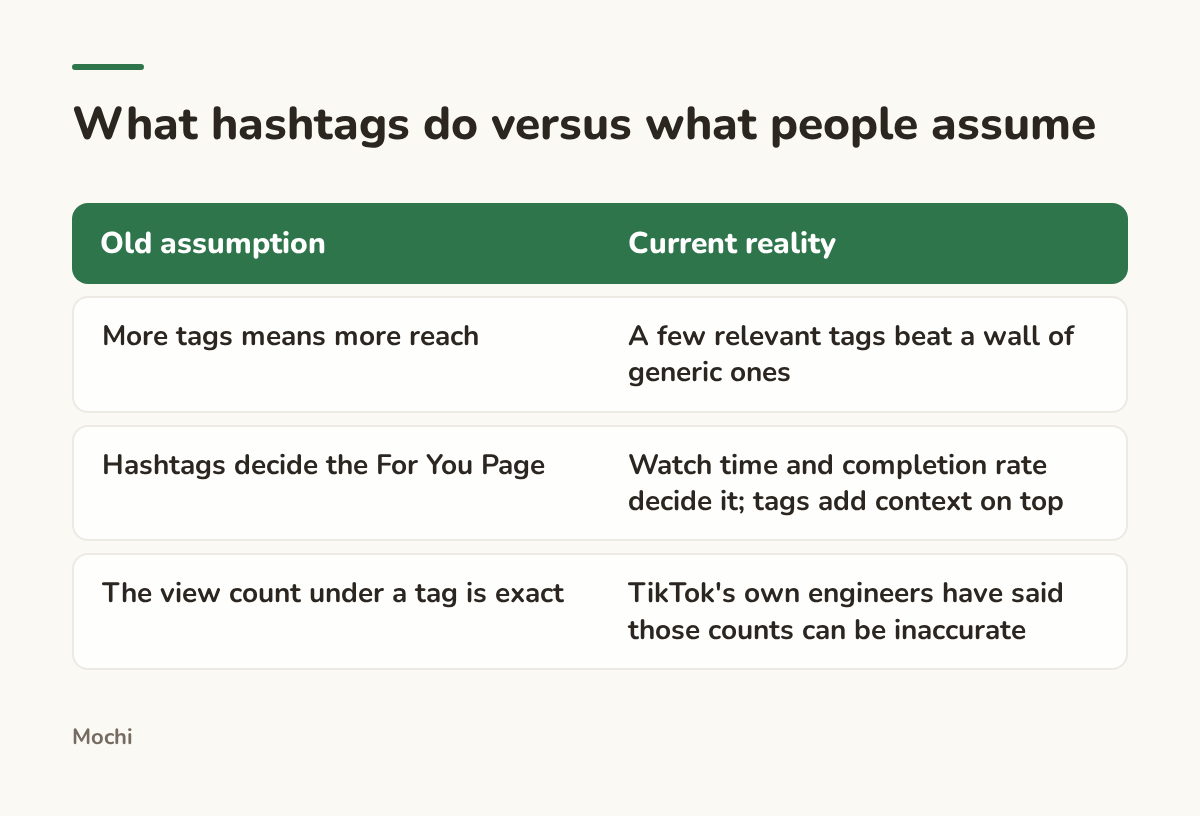
Hashtags label a video. They don't carry it.
That third row isn't a guess. TikTok published its own hashtag view count display issue post-mortem explaining why the number next to a hashtag page can be wrong, sometimes by a lot. If you've ever picked a tag because it showed "2.1B views" and watched it do nothing for your video, that's the likely reason. The number is a rough signal of a tag's history, not a promise about your reach today.
How Many Hashtags to Use, and Where to Put Them
Three to five hashtags, placed in the caption itself, is the range most current guidance lands on, and the one that holds up once you stop treating tags as a reach lever. Not thirty. Not one. Three to five, chosen on purpose.
Why the caption, not a comment
Older advice told creators to hide tags in the first comment to keep the caption clean. Skip it. TikTok's own flow adds hashtags in the description at the point you make a post, which is where they describe the video; a tag buried in a comment is a comment, not part of the post. A caption with three or four well-placed tags reads fine to a human scrolling past, and keeping them there means you can actually see what you used when you're trying to remember what worked.
The mix that actually earns its spot
Every tag you add should answer one of three questions: what room is this video in, what corner of that room, and what makes this specific video different from the fifty others posted today in that same corner. One tag per question is usually enough.
Picture a wedding photographer posting a reel of a first look. A caption built on the "label, don't stack" rule might read like this:
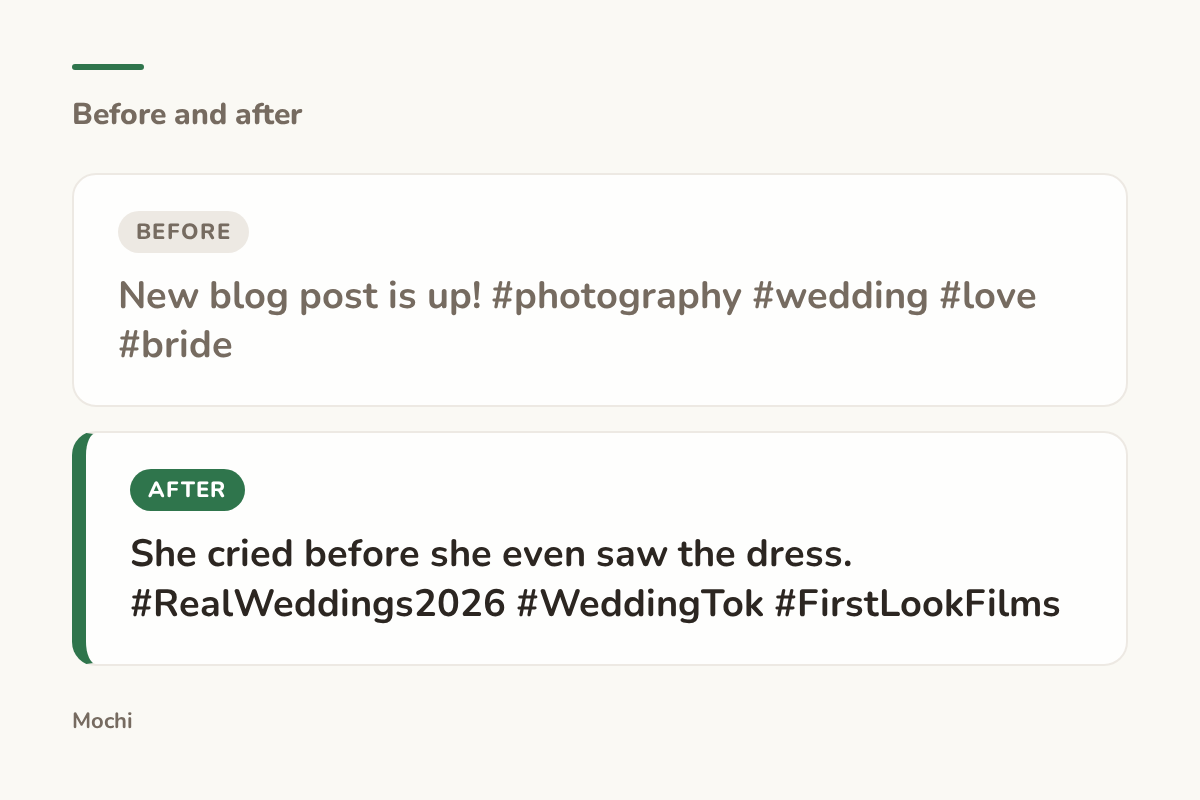
Before: New blog post is up! #photography #wedding #love #bride After: She cried before she even saw the dress. #RealWeddings2026 #WeddingTok #FirstLookFilms
Same video, a caption that earns the scroll-stop instead of describing the post.
The "before" version describes the post to nobody in particular. The "after" version names the moment, then backs it with one broad community tag, one niche tag, and one tag specific enough that it reads almost like a hashtag only this video could use. That's the whole formula in miniature.
Building a Hashtag Mix, Step by Step
Once you've accepted that five good tags beat thirty tired ones, the actual building is quick. It breaks into three decisions, made in order every time you post.
Step 1: Pick the broad, community tag
This is the "what room is this in" tag, the one that puts your video alongside thousands of others in the same general space. TikTok's communities increasingly organize around these "-Tok" tags: WeddingTok, BookTok, CleanTok, PlantTok. They're broad on purpose, which means they're also the most crowded, so this tag alone will never carry a video. Its job is just to file you correctly.
Step 2: Pick the niche tag
This is the corner of the room. Take a potter who throws on the wheel and sells seconds at a loss rather than let them sit. A broad tag like #pottery puts her in a room with millions of posts. A niche tag like #WheelThrownPottery or #SlowMadeCeramics narrows that room to people who are specifically interested in process, not just finished mugs.
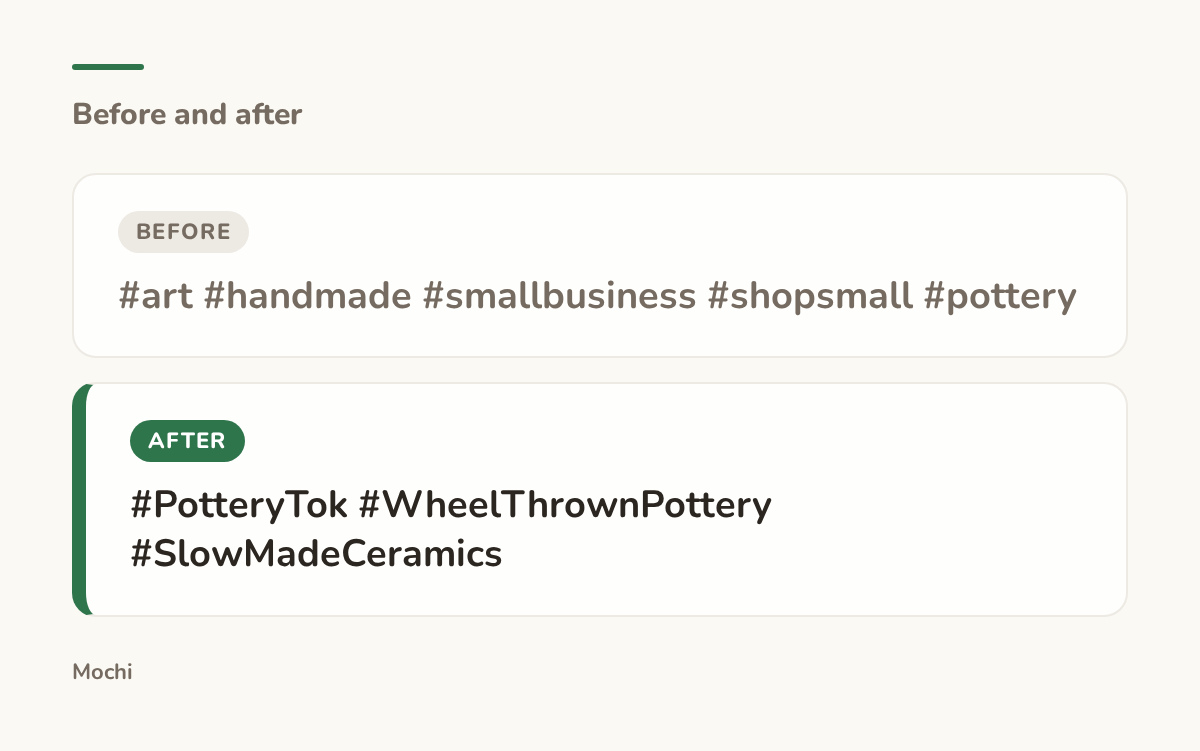
Before: #art #handmade #smallbusiness #shopsmall #pottery After: #PotteryTok #WheelThrownPottery #SlowMadeCeramics
Fewer tags, each one doing a different job.
Step 3: Pick the specific tag
This is the fingerprint, the tag that's almost custom to this one video or this one small series. A personal trainer posting a beginner's first unassisted pull-up might run a broad tag like #FitTok, a niche tag like #BeginnerStrengthTraining, and then something as specific as #GymRatDiaries if that's the recurring bit her account is known for.
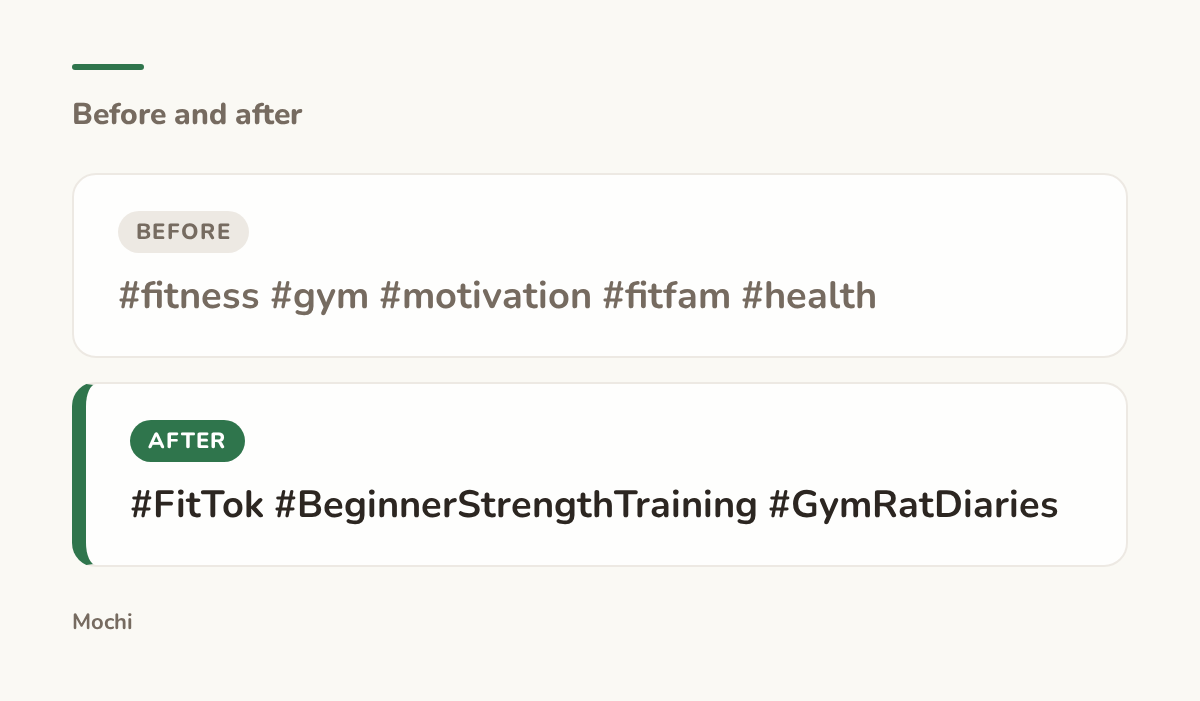
Before: #fitness #gym #motivation #fitfam #health After: #FitTok #BeginnerStrengthTraining #GymRatDiaries
One broad, one niche, one that's practically a signature.
An indie musician releasing a thirty-second clip of a new chorus can run the same three-step mix: #MusiciansOfTikTok as the broad entry point, #IndieFolkMusic or whatever genre tag actually fits as the niche layer, and something like #ChorusFirstDrafts if that's a recurring format for the account. The point isn't the exact tags. It's that each one is chosen for a reason, not copied from last week's post because changing it felt like extra work.
Finding Out What's Actually Trending This Week
The mix above only works if the tags inside it are alive. A niche tag that was buzzing last spring can be dead weight by autumn, and the only way to know is to check, not guess.
Inside TikTok's own tools
TikTok runs a free hub built for exactly this: the TikTok Creative Center lets you browse live trending hashtags filtered by industry, region, and time window, no account spend required to look. TikTok also publishes its own walkthrough on how to use Trends inside that same tool, which is worth the ten minutes if you've never opened it before.
Where a tool like Mochi fits in
Checking three separate TikTok pages every week is realistic for exactly nobody. This is the part of the job we built Mochi to carry: a research routine that runs on its own schedule, so the trend scan happens whether or not you remembered to open the app that day.
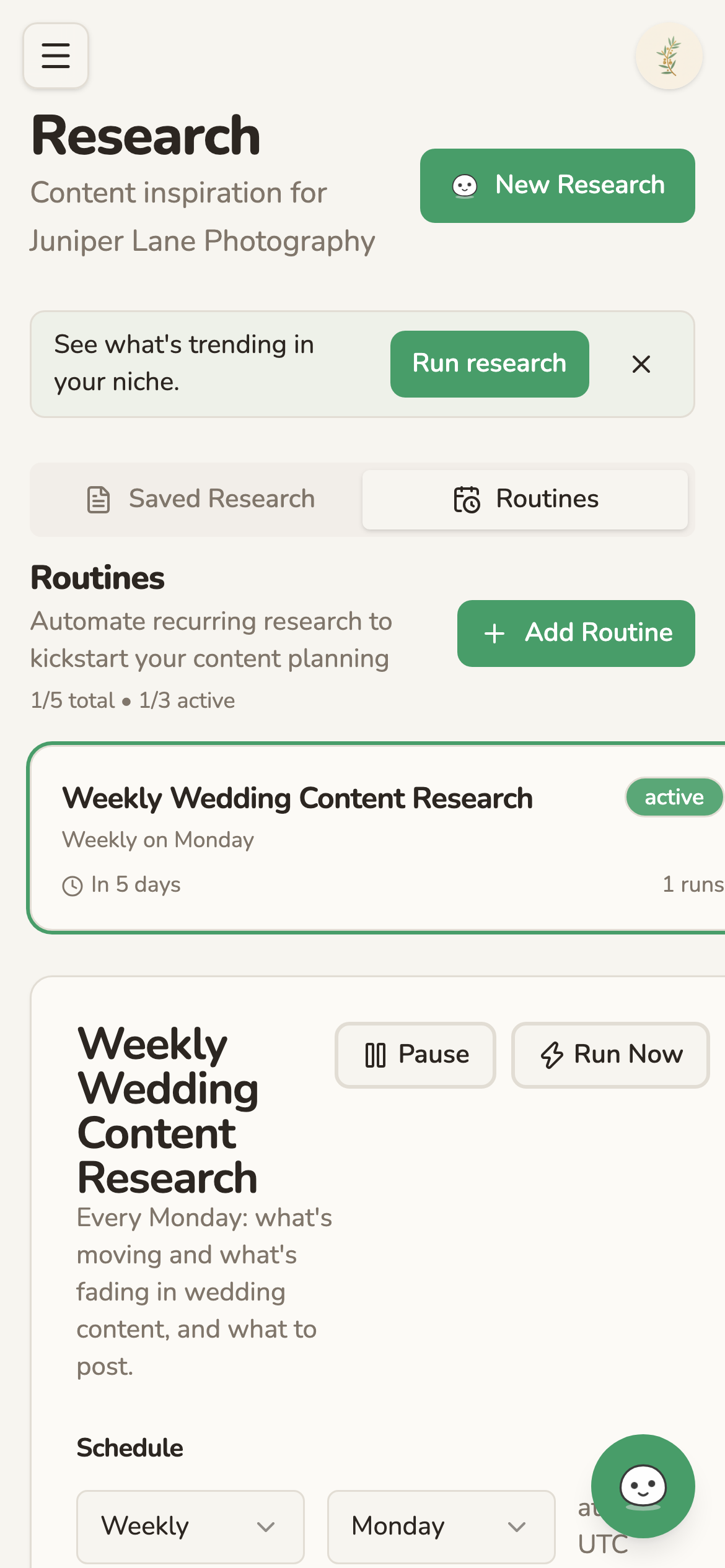
A research routine runs weekly on a set day, with no one needing to start it.
Treat a tag's age like a question, not an answer
Before you reuse any tag from a previous post, ask whether it still fits the room it's filing you into, or whether that room has moved on without you. A tag that was the niche layer six months ago can quietly become the broad layer, or just become empty. TikTok's own Discover page keeps a running, platform-generated list of 2026 hashtags that updates as the year moves, a quick gut check against whatever you were about to reuse from memory. Five minutes of checking beats a caption full of tags nobody searches anymore.
Hashtag Mistakes That Quietly Cap Your Views
Most hashtag problems aren't dramatic. They're small habits that cost a little reach on every single post, which adds up to a lot of missed reach over a year.
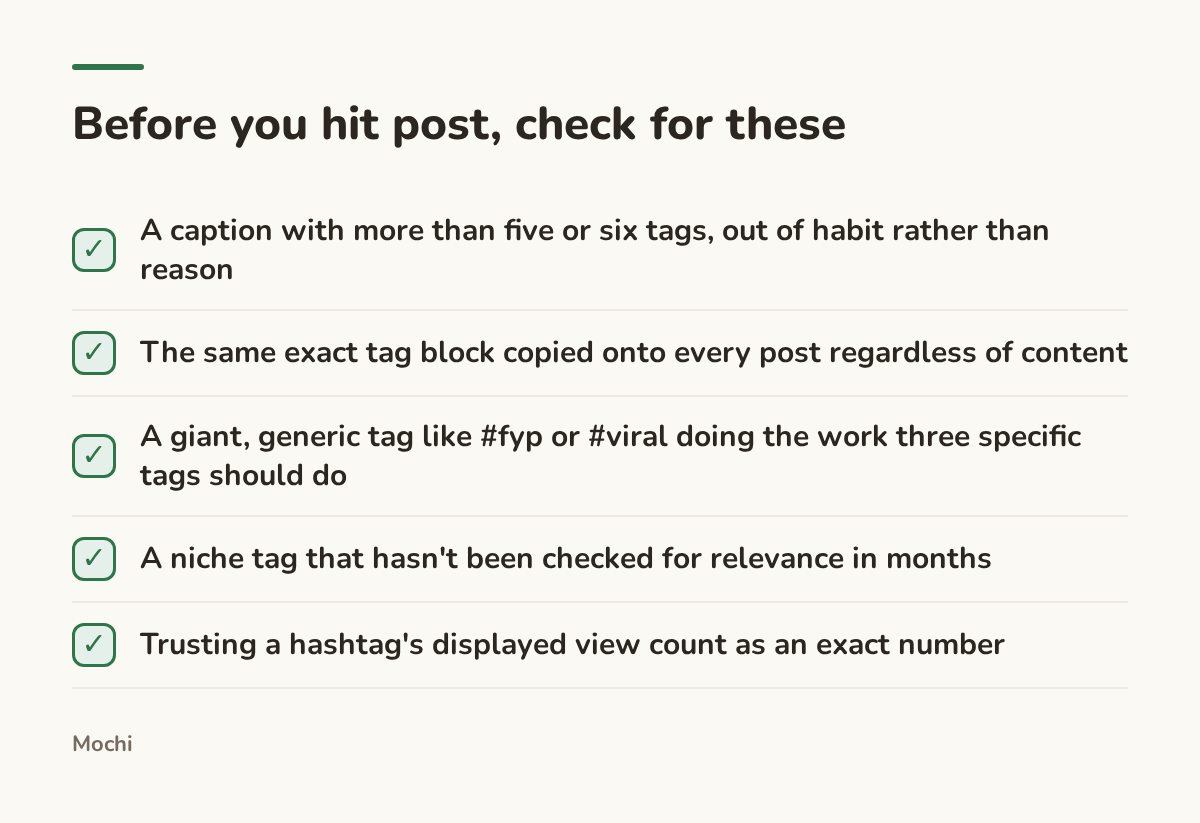
Small habits, repeated on every post, add up to real missed reach.
The copy-paste block is the easiest one to fall into because it feels efficient. It isn't. A tag block built for a launch video doesn't automatically fit a behind-the-scenes clip posted three weeks later, and TikTok's own systems read mismatched tags as a weak signal about what the video is actually about. Giant generic tags like #fyp and #viral are the hashtag equivalent of writing "please watch this" on the caption: understandable instinct, no actual information for the algorithm or for a human deciding whether to tap.
A Simple Weekly Hashtag Routine
None of this needs to become a second job. It fits inside whatever planning you're already doing for the week's posts.
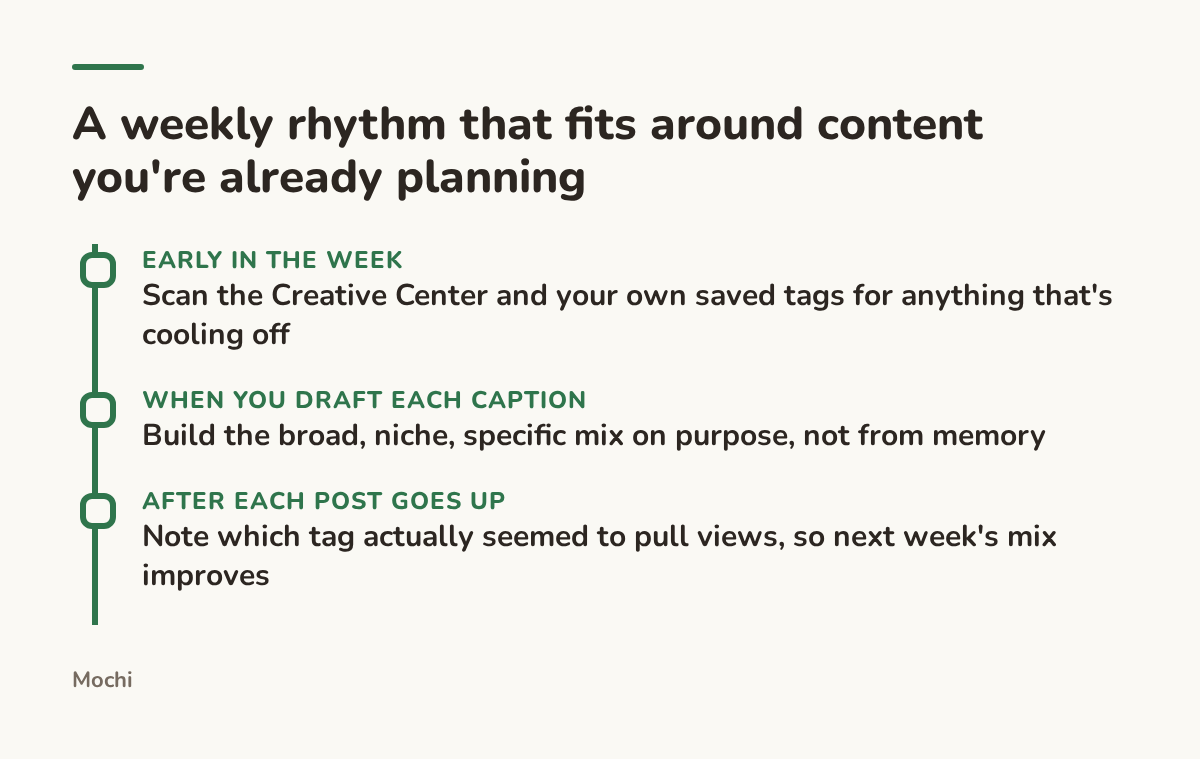
The routine is small on purpose. It only has to survive a busy week.
If you're building out a broader content plan around this, our guide to TikTok content ideas covers the posts themselves, what to actually film each week so the hashtags have something worth carrying.
The Bottom Line
Hashtags aren't decoration and they aren't a growth lever either. They're a label, three to five of them, each doing a different job: one broad, one niche, one specific enough to be almost yours alone. Check that the label is still true before you reuse it, and let the video itself do the work hashtags were never built to do.
What's the hashtag you've been copy-pasting for months without checking if it still means anything?
Part of a series
The Creator's Playbook
Evergreen craft for working creators: brand, content planning, and publishing, written by the team that builds Mochi.